
Call through your list without dialing a single number.
Load a list and the power dialer calls each contact in turn, skips anyone on your do-not-call list or outside their local calling hours, and logs every call to the contact's record.
Recording and transcripts
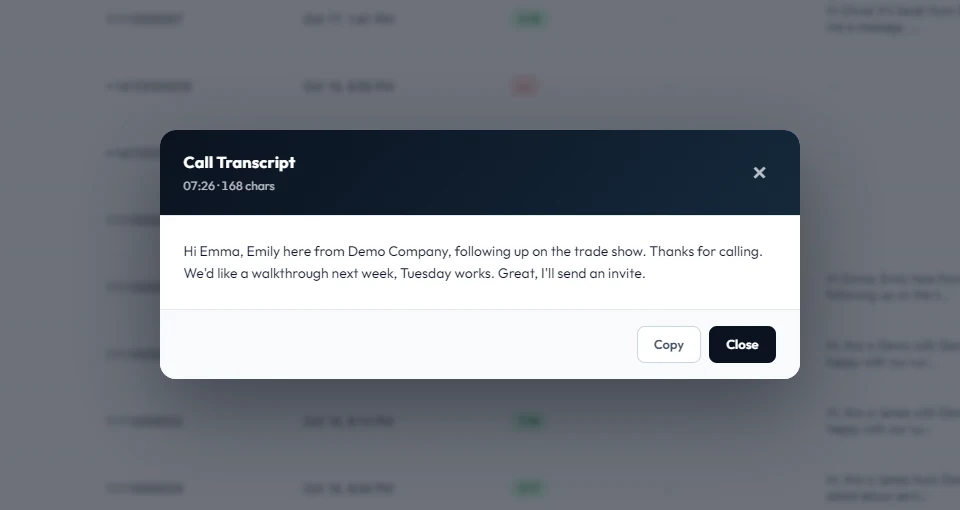
Calls are recorded and transcribed. Open any transcript from the dialer's recent calls and copy it in one click, or play the recording from the contact's timeline.
Back-to-back calling
The dialer moves to the next contact when a call ends and retries no-answers and busy lines automatically. A parallel mode dials several contacts at once for high-volume lists.
- Do-not-call checks before every call
- Respects each contact's local calling hours
- Click to call from any contact or company
Voicemail drop
Reached a voicemail box? Drop a pre-recorded message with one click and move on to the next call.
A dashboard for the whole team
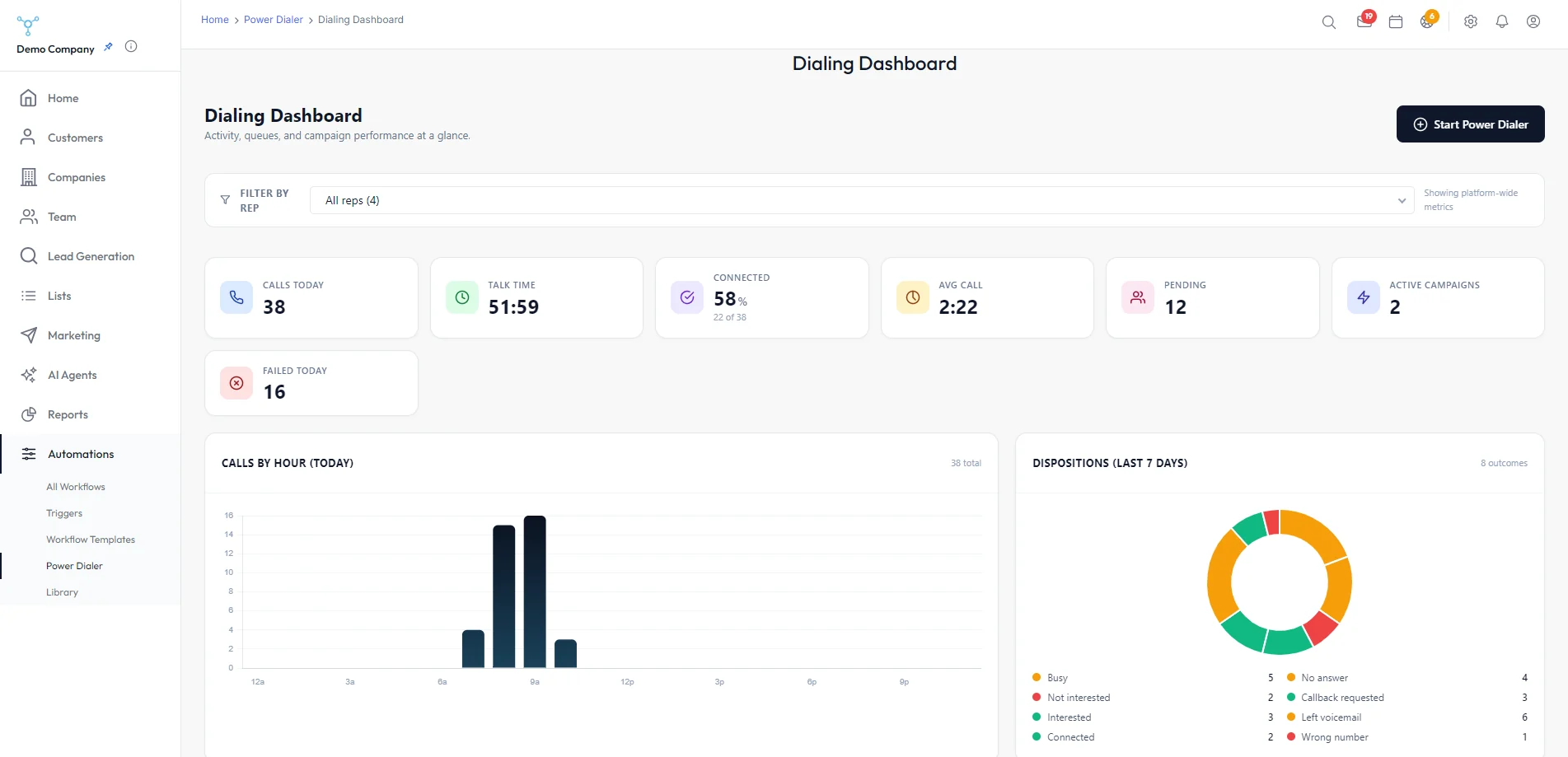
See today's calls, talk time, connect rate and average call length at a glance, with calls by hour, the week's call outcomes and a leaderboard of your reps. Filter it to one rep, and retry missed calls in one click.
These parts of Power Dialer run on the services below, connected with your own accounts.
Twilio
Calling, recording and voicemail
Campaigns
Multi-step email and SMS sequences with call reminders, sending limits, bounce handling and open and click tracking.
Learn more →Contacts & pipeline
Contacts, companies and deals in one place, with drag-and-drop boards, editable stages and deal values.
Learn more →Reports
Team activity by rep, a leaderboard, campaign results and today's numbers on your dashboard.
Learn more →